
Select the model you want to generate your image with.
Free GPT-Image 1.5 Online : Next-Level AI Image Generation and Editing
Take your visuals further with sharper edits, clearer structure, and more accurate generation from GPT-Image 1.5.
Your Generated Images
Core Capabilities of GPT-Image 1.5: Text-to-Image & Image Editing
Create Stunning Images From Text With GPT-Image 1.5
With GPT-Image 1.5, turning your ideas into high-quality images is as easy as describing them. Whether you're aiming for realistic visuals or creative artwork, this powerful tool brings your words to life. It’s perfect for quickly generating visuals for marketing campaigns, social media content, or any project that needs unique, custom images, all from simple text prompts.
Effortless Image Editing with GPT-Image 1.5
GPT-Image 1.5 makes editing your images simple and precise. Upload an image and describe what you’d like to change—whether it's swapping out a background, adjusting colors, or adding new elements. The model keeps key details, like facial features and lighting, consistent throughout, making it ideal for tasks like product mockups, virtual try-ons, or transforming existing visuals without losing their original look and feel.
Key Features of OpenAI GPT-Image 1.5
Bring Ideas to Life with ChatGPT-Image 1.5 Text-to-Image Generation
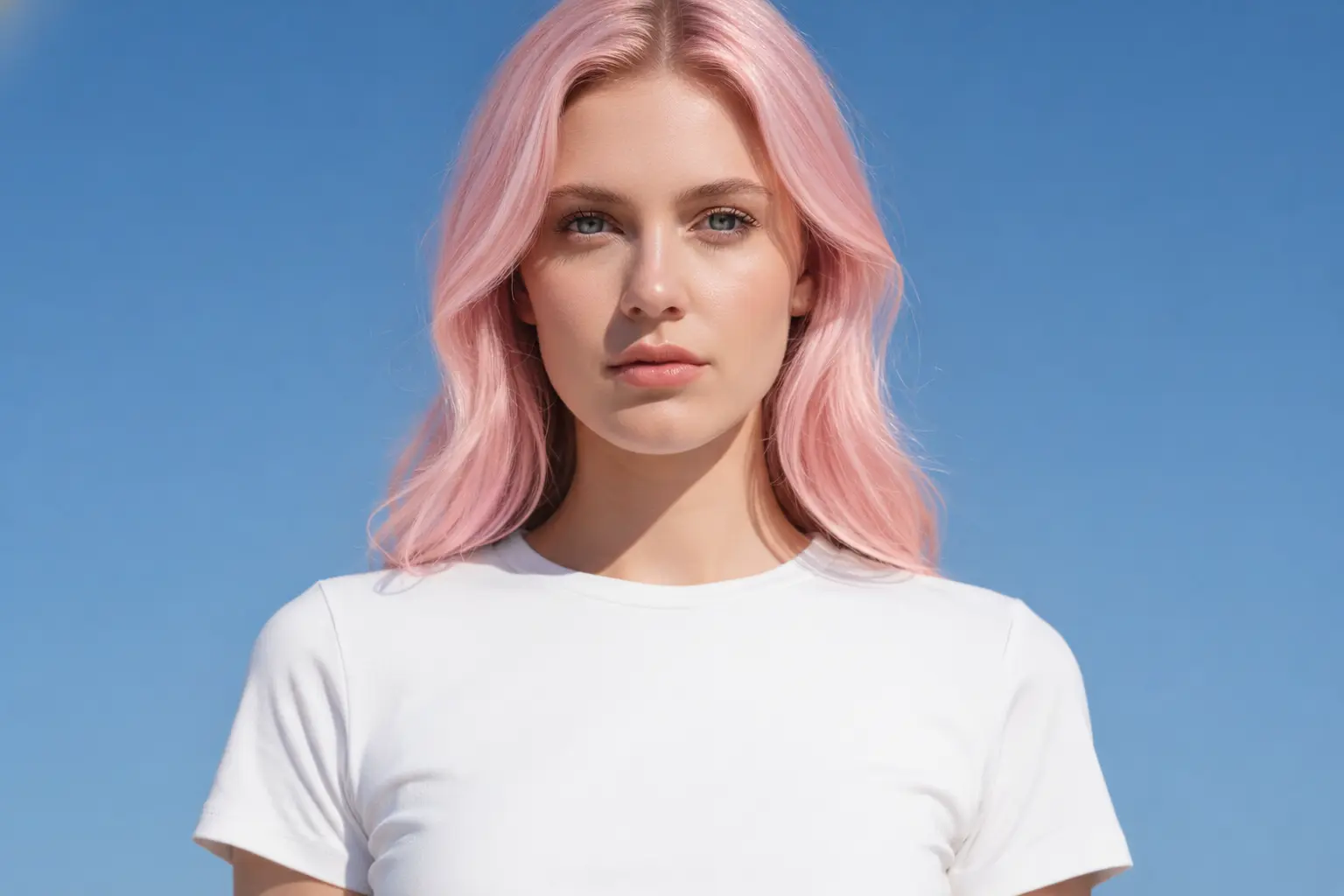
Craft unique visuals simply by describing them. With GPT-Image 1.5 text to image, you can transform written ideas into polished scenes, illustrations, or photorealistic imagery. Whether you’re creating marketing content, moodboards, product concepts, or social media visuals, the model delivers expressive, high-quality results that match your creative intent. It’s an effortless way to turn imagination into compelling images without manual design work.

Make Natural, Precise Changes with GPT-Image 1.5 Image Editing
Using GPT-Image 1.5 image to image, you can edit uploaded photos while keeping essential details intact. Change backgrounds, adjust colors, refine compositions, or add new elements — all while preserving identity, lighting, and realism. This makes it ideal for product mockups, lifestyle imagery, virtual try-ons, and subtle photo improvements where the final result must look authentic and cohesive.
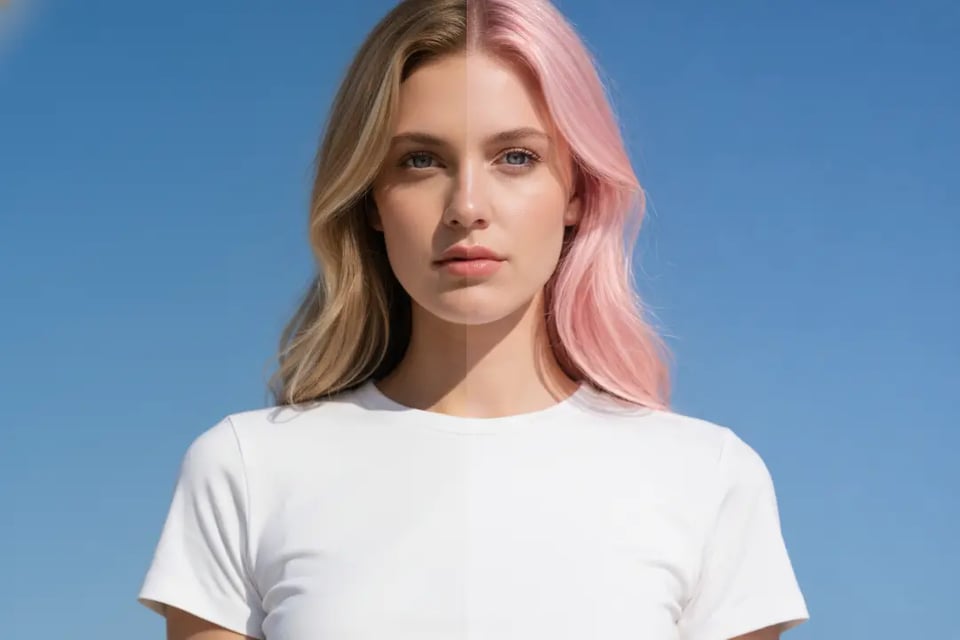
Faster, More Consistent Results Powered by GPT-Image 1.5
Thanks to significant improvements in speed and consistency, GPT-Image 1.5 generates images up to four times faster while maintaining stable facial likeness, lighting continuity, and overall composition. Whether you’re iterating marketing creatives, testing multiple styles, or producing high-volume visuals, the model helps you move from idea to final output with remarkable efficiency and reliability.
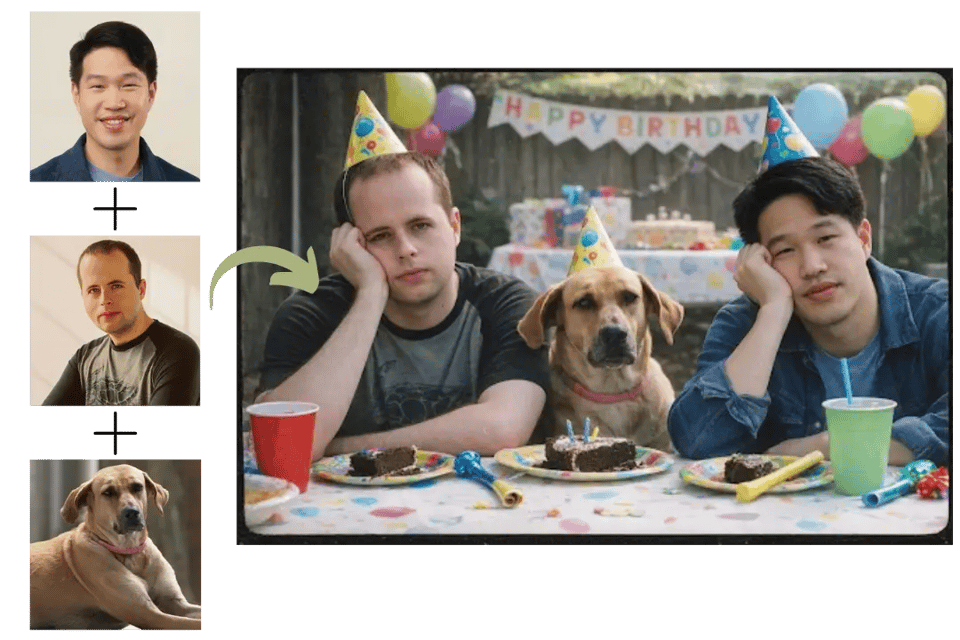
Sharper Text and Complex Layouts with OpenAI GPT-Image 1.5 Rendering
For images that require clear, readable text, GPT-Image 1.5 handles dense typography better than previous versions. It excels at embedding small labels, UI elements, poster titles, and infographic details directly into your image with improved clarity and structure. Designers and marketers can rely on the model for layouts that feel intentional and visually balanced — with text that actually reads well.
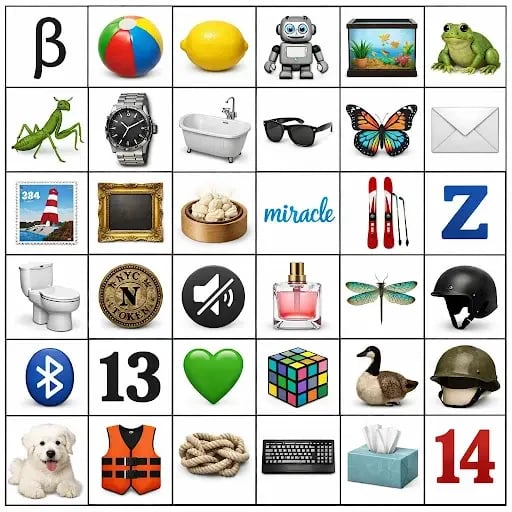
Smarter World Knowledge for Context-Aware Image Creation
With stronger reasoning and global context understanding, GPT-Image 1.5 can accurately generate scenes tied to real locations, eras, and cultural moments. Describe a historical event, a specific decade, or a well-known city, and the model produces imagery that aligns with real-world references. It’s a powerful feature for education, storytelling, editorial visuals, and any project that needs grounded, context-aware image generation.
Choosing Between GPT-Image 1.5 and Nano Banana Pro: What Matters for Your Image
Before choosing which model fits your workflow, it helps to understand how each one approaches image generation and editing. GPT-Image 1.5 and Nano Banana Pro share strong general capabilities, but they differ in style tendencies, editing behavior, and the kinds of visuals they excel at. The table below highlights the practical differences that matter most when creating images, editing photos, or building consistent visual content.
| Category | GPT-Image 1.5 | Nano Banana Pro |
|---|---|---|
| Developer | OpenAI | Google DeepMind |
| Core Focus | Built for controllable image generation and precise, instruction-aligned editing | Designed for high-fidelity, photo-realistic output with advanced detail and scene realism |
| Visual Style Tendency | Clean, consistent visuals that closely follow the prompt | Rich textures, deeper lighting realism, and a more photographic look |
| Photorealism | Natural, balanced realism suitable for commercial and creative uses | Stronger emphasis on cinematic and camera-like realism |
| Instruction Following | Very strong at adhering to constraints, structure, and specific user intent | Also strong, though sometimes more interpretive when recreating realism |
| Image Editing Stability | Excellent preservation of identity, lighting, and layout across multiple edits | Maintains realism well but may shift the overall tone during heavier edits |
| Character Consistency | Stable across iterative workflows, maintaining face, pose, and proportions | High consistency, with occasional minor variation in multi-step edits |
| Multi-Image Workflows | Structured, predictable results when combining references or styles | More flexible with multi-image blending and expressive composites |
| Text Rendering | Clear, readable text for posters, UI layouts, labels, and infographics | Strong performance with dense text, multilingual layouts, and detailed typography |
| World Knowledge & Scene Accuracy | Reliable interpretation of historical, cultural, and location-based prompts | Excels at immersive, realistic environments with deeper spatial detail |
| Complex Composition | Balanced composition with clear visual hierarchy | More cinematic, layered, and visually dynamic compositions |
| Generation Speed | Fast and consistent for both creative generation and iterative editing | Fast as well, optimized for delivering high-detail, high-realism outputs |
| Best For | Brand visuals, product images, precise edits, e-commerce workflows, consistent characters, controlled creative direction | Photographic scenes, cinematic visuals, detailed posters, concept art, multi-reference composites |
| Ideal Users | Creators needing predictable edits, reliable structure, and fast iteration | Users prioritizing high-end realism, visual richness, and expressive complexity |
How to Access GPT-Image 1.5 Free Online With Bylo.ai
Follow these simple steps to get started with our platform.
Start with a Prompt or Photo Using GPT-Image 1.5
Enter a text description to begin GPT-Image 1.5 text to image creation, or upload a photo to use the image to image editor. Just describe what you want to create or change — the model understands styles, moods, and detailed visual cues effortlessly.
Refine Your Request with the GPT-Image 1.5 AI Image Editor
Add any specific adjustments you want: colors, objects, backgrounds, outfits, lighting, or elements to preserve. The GPT-Image 1.5 AI image editor follows detailed instructions reliably, making fine-tuned changes simple without any design experience required.
Generate, Review, and Download Your Final ChatGPT Image
Hit generate and let GPT-Image 1.5 deliver high-quality results within seconds. Make quick refinements if needed, then download your finished image for marketing visuals, product presentations, social media posts, or any creative project .
What GPT-Image 1.5 Can Produce: Real Examples of AI Image Generation & Editor
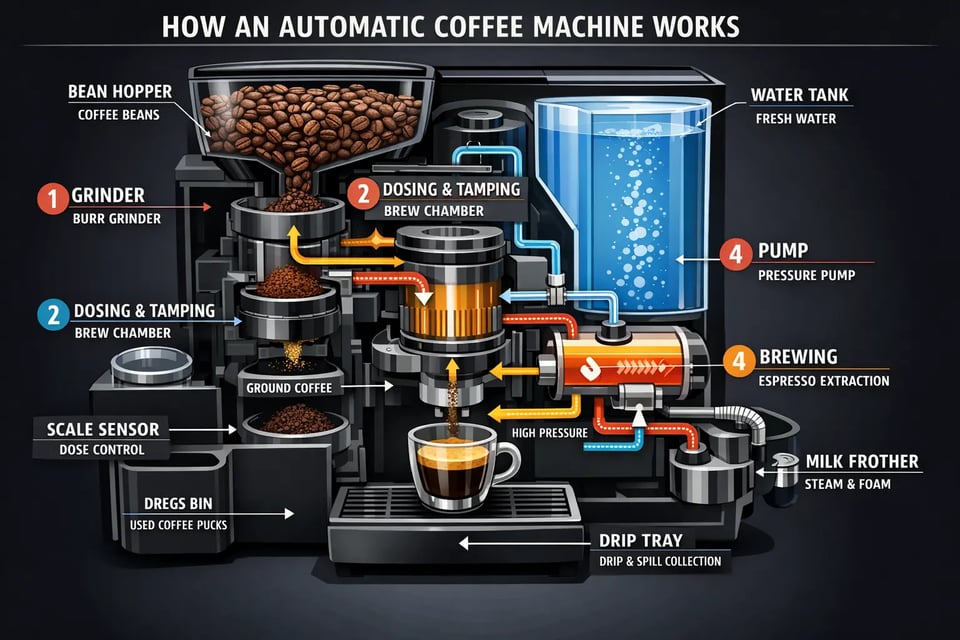
Infographic
GPT-Image 1.5 can convert complex written explanations into structured, easy-to-read infographics with clear labeling, balanced layouts, and accurate visual hierarchy. Its improved text rendering ensures that dense information and small typography remain sharp and legible, making it ideal for educational visuals, technical walk-throughs, and data-focused graphics.
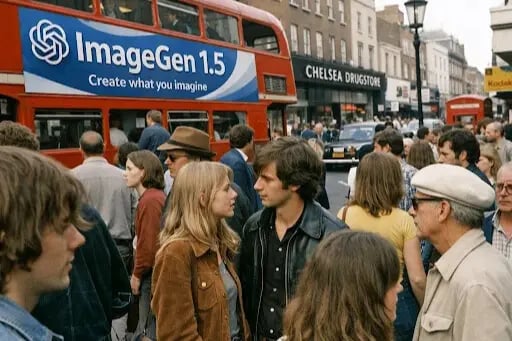
Photorealistic Image
The model excels at producing natural, lifelike photography with realistic skin texture, authentic lighting, and unposed composition. GPT-Image 1.5’s photorealism allows creators to generate scenes that feel true to life, with believable materials, depth, and subtle environmental details.

Logo Design
GPT-Image 1.5 is capable of generating clean, scalable logos with strong silhouettes, thoughtful negative space, and consistent geometric balance. It supports a wide range of visual directions—from minimal and modern to warm and handcrafted—making it useful for brand identity explorations and early visual ideation.
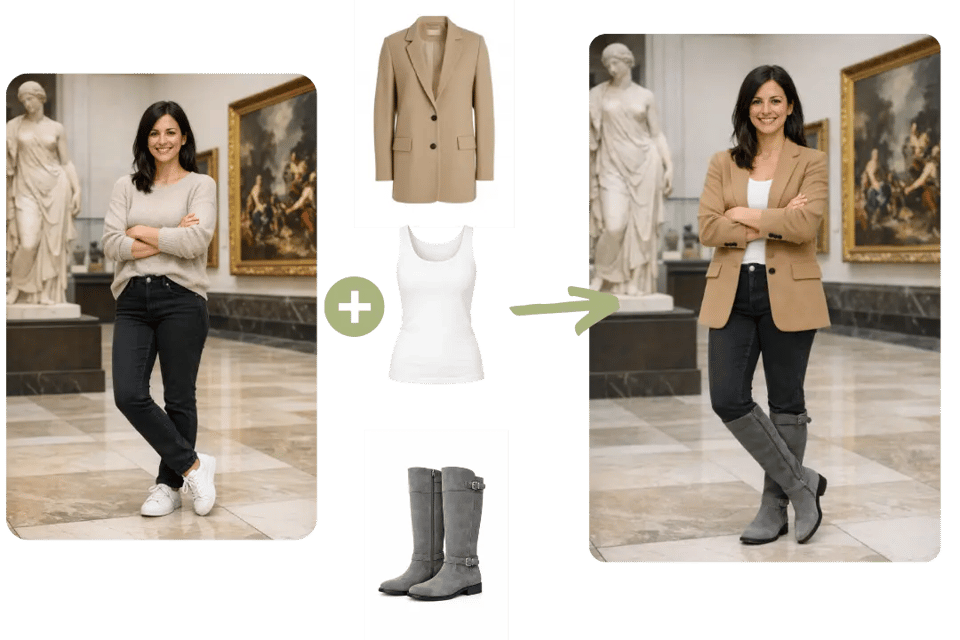
Virtual Try-On
With advanced detail preservation, GPT-Image 1.5 can modify clothing while keeping the subject’s face, body shape, pose, and lighting fully consistent. This makes it suitable for fashion previews, product styling, and any scenario requiring wardrobe changes that look seamless and natural.

UI Mockup
GPT-Image 1.5 can generate polished, production-like interface mockups with clear visual hierarchy, readable text, and balanced spacing. The model understands component structure and layout logic, making it valuable for early-stage UI design, concept pitching, and rapid interface exploration.
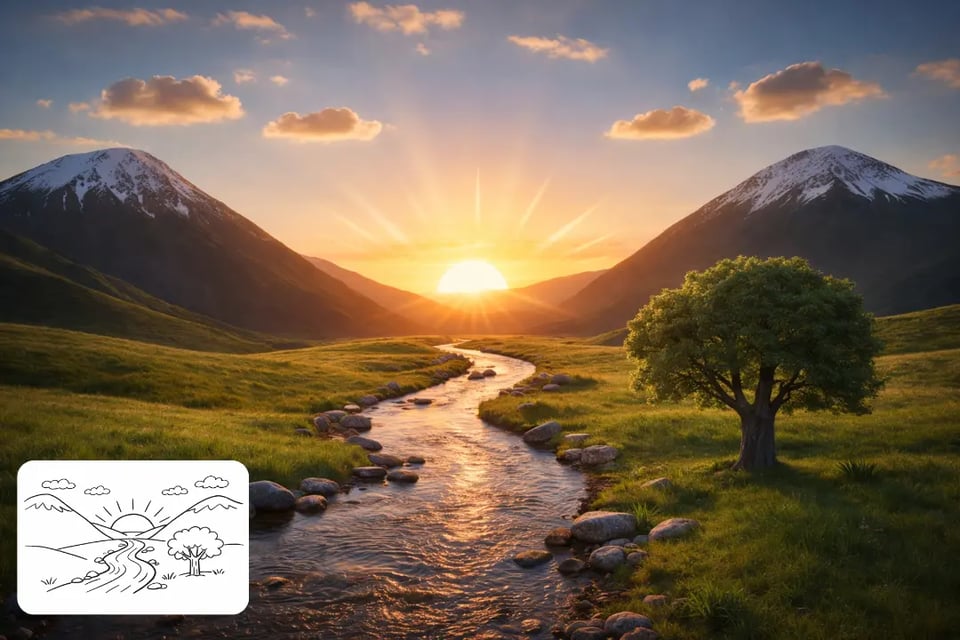
Drawing to Photo
The model can transform rough sketches into fully rendered images while preserving composition and structure. GPT-Image 1.5 enhances materials, lighting, and realism without altering the underlying idea, supporting designers, architects, and illustrators in visualizing early concepts with more depth and clarity.
How to Write Prompts That Get Better Results with GPT-Image 1.5
Structure with Purpose
Start your prompt with the broader scene, then introduce the subject, add the key visual details you care about, and finish with any constraints. Keeping this simple order helps GPT-Image 1.5 understand your intention clearly—whether the image is meant for advertising, product visuals, or creative exploration—and leads to more predictable, polished results.
Focus on Meaningful Details
Describe only the elements that truly shape the look of your image, such as materials, textures, color themes, or artistic medium. When aiming for realism, mention lighting, camera feel, or atmosphere rather than generic “high quality” phrases. GPT-Image 1.5 responds best when the prompt includes details that influence the final aesthetic instead of long lists of adjectives.
Define Composition and Lighting
If framing matters, specify the viewpoint, distance, or angle—such as wide shot, close-up, top-down, or eye level. Add lighting cues like soft daylight, neon reflections, or golden hour warmth to guide the model’s mood and tone. Clear composition hints help GPT-Image 1.5 arrange the image with better structure and intention.
Make Constraints Explicit
Tell the model what must not change, especially during edits. If you want a person’s identity, pose, or lighting preserved, say so directly. If you need no added text, no logos, or no new objects, spell it out. GPT-Image 1.5 respects constraints well when they’re clear, giving you tighter control over image accuracy and consistency.
Handle Text with Precision
When your image includes text, put the exact words in quotes and mention simple typography notes like bold, serif, centered, or high contrast. This helps GPT-Image 1.5 render lettering more reliably, especially in posters, UI mockups, or infographics where clarity and layout matter.
Iterate with Small Adjustments
Instead of writing one heavy prompt, create a clean base image first and refine with focused edits. Small changes—warmer lighting, different color accents, removing an object—allow GPT-Image 1.5 to adjust the picture without drifting from your original idea. Clear, incremental guidance consistently produces better results than overloading everything at once.